

• info.techcaddjalandhar@gmail.com
  • 6284347710
  • Online Admission  Certificate Verification
    • Home
    • About
    • Courses
        • Basic Computer Courses
        • Advance Excel
        • Tally ERP.9
        • Quickbooks
        • Microsoft-Office
        • Catpro
        • Networking
        • 120 Hours Computer Course
        • 6 Month Industrial Training
        • 6 Week Industrial Training
        • Web Designing
        • Web Development
        • Graphic Designing
        • Digital Marketing
        • Programming Languages
        • Responsive Web Design
        • Wordpress
        • PHP Training
        • Python Training
        • C , C++ Programming
        • Javascript
        • Interior Designing
        • AutoCAD
        • A.D.F.A
        • C.C.A
        • C.D.T.P
        • D.O.M.A
        • D.C.A
        • A.D.C.A
        • D.C.T.T
        • P.G.D.C.A
    • Training
      • Web Development
      • Web Designing
      • PHP Training
      • C Programming
      • 120 Hours Computer Course
    • Team
    • Contact
    • Blog
    • Career
    logo

    We give 100 % Practical Training to our Students in every course with our long term term Experience. Moreover with new techniques of Computer’s we try to keep update ourselves. Always Focused on Practical knowledge. Always Designed course according to the need of students.

    Breadcrumbs Image

    Best AutoCAD Course in Hoshiarpur

    • Home
    • AutoCAD

    Introduction of AutoCAD

    AutoCAD is a computer-supported design software developed by the company Autodesk( hence the name AutoCAD). In the old days, the only way that masterminds and engineers could illustrate their ideas as if they drew them out by hand. These days, pen and paper have been replaced by computers and design software like AutoCAD. With digital designs, those ideas are brought to life much quickly and more efficiently. So who uses AutoCAD and why is it important? perhaps you! And then are just a many reasons it’s so important. It allows you to draw and edit digital 2D and 3D designs more rapidly and fluently than you could by hand. The lines can also be fluently saved and stored in the cloud, so they're entered anywhere at any time. Then are a many other benefits of AutoCAD Before the age of computers, a developer would have to manually revise designs. You would have to produce an entirely new draft or edit the draft you had, which could come messy and delicate to interpret. With AutoCAD, you can fluently change and manipulate designs. You can only draw individuality so small by hand, but AutoCAD allows you to design down to fractions. This creates a more accurate design in all scope.

    What Mainly is AutoCAD
    Image
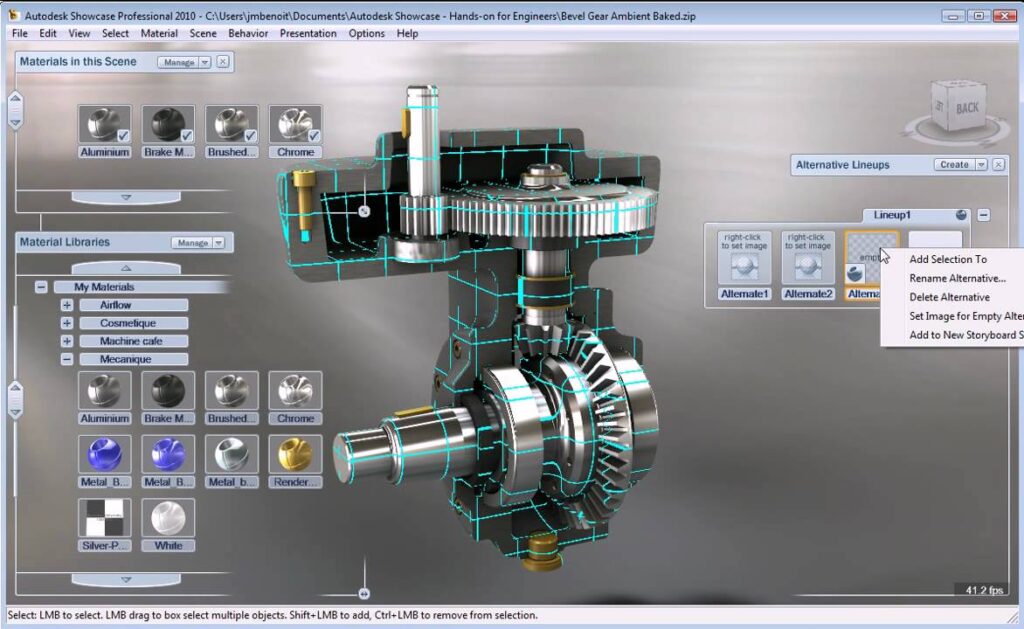
    As a CAD Drafter, you could use AutoCAD across a variety of industriousness. In mechanical engineering, you might use it to produce manufacturing processes as well as to design motor zone, robots, and other innovative objects. In electrical engineering, you might use it to design out electrical systems, and in civil engineering, you might use it as you help to design mainlands and roads. Then are other professionals who use AutoCAD The capabilities of AutoCAD are so wide-ranging that truly artists use it to draft figures, wood forms, representations, and experimental art pieces. AutoCAD is frequently used to produce arrangements and floor plans for houses and marketable structures. It also comes with made-in tools that can analyze and remedy failings in a structure’s design.


    Why We Need AutoCAD

    AutoCAD provides best-in- class drafting and design, whether you're working in 2D or 3D. With features to automatically work a plan, elevation, and isometric views, tool palettes to save your favorite blocks, and machine knowledge features to help you learn new ways to produce designs, AutoCAD provides an unmatched user experience trusted by millions of users each over the world. Save time with assembled-in workflows, thousands of standard zone, and features. Across seven studies, the average productivity gain was about 63 for tasks completed using a technical tool set. User- specialized tool settings can be done to view and design products in wireframe and face modeling. Extensively preferred in the industries of mechanical, telecom, civil, and architectural engineering. It stands in demand by students and industriousness because of its conditions. In this software, originally, we can produce designs fluently using commands afterward icons were added to the software. With the use Of AutoCAD, we can design a product with great accurateness.

    images

    Hurry up !! Enroll Now

    Shop No 4, City Center Near Bus Stand Hoshiarpur,
    Punjab 146001

    Address

    • Shop No 4, City Center Near Bus Stand Hoshiarpur, Punjab 146001
    • 06284 347 710
    • info.techcaddjalandhar@gmail.com

    Courses

    • Best Computer Courses in Hoshiarpur
    • Web Designing Course in Hoshiarpur
    • Web Development Course in Hoshiarpur
    • Best Digital Marketing Course in Hoshiarpur

    Quick Links

    • HOME
    • ABOUT
    • COURSES
    • TRAINING
    • GALLERY
    • CONTACT

    © 2023 All Rights Reserved By TechCADD Computer Education